OpenAPI Usage Guide
Step 1: Obtain API Key and APP ID
The API Key serves as the global identity credential for invoking the entire set of ADP OpenAPIs. It verifies the access permissions of the calling enterprise or account. This credential must be included for all API requests; any request without a valid API Key will be directly blocked by the gateway.
The APP ID is the unique identifier of a single application within ADP. It identifies the target application you intend to operate and invoke. As a core business parameter for document extraction, workflow execution and application configuration APIs, it defines the ownership of capabilities.
How to get your API Key?
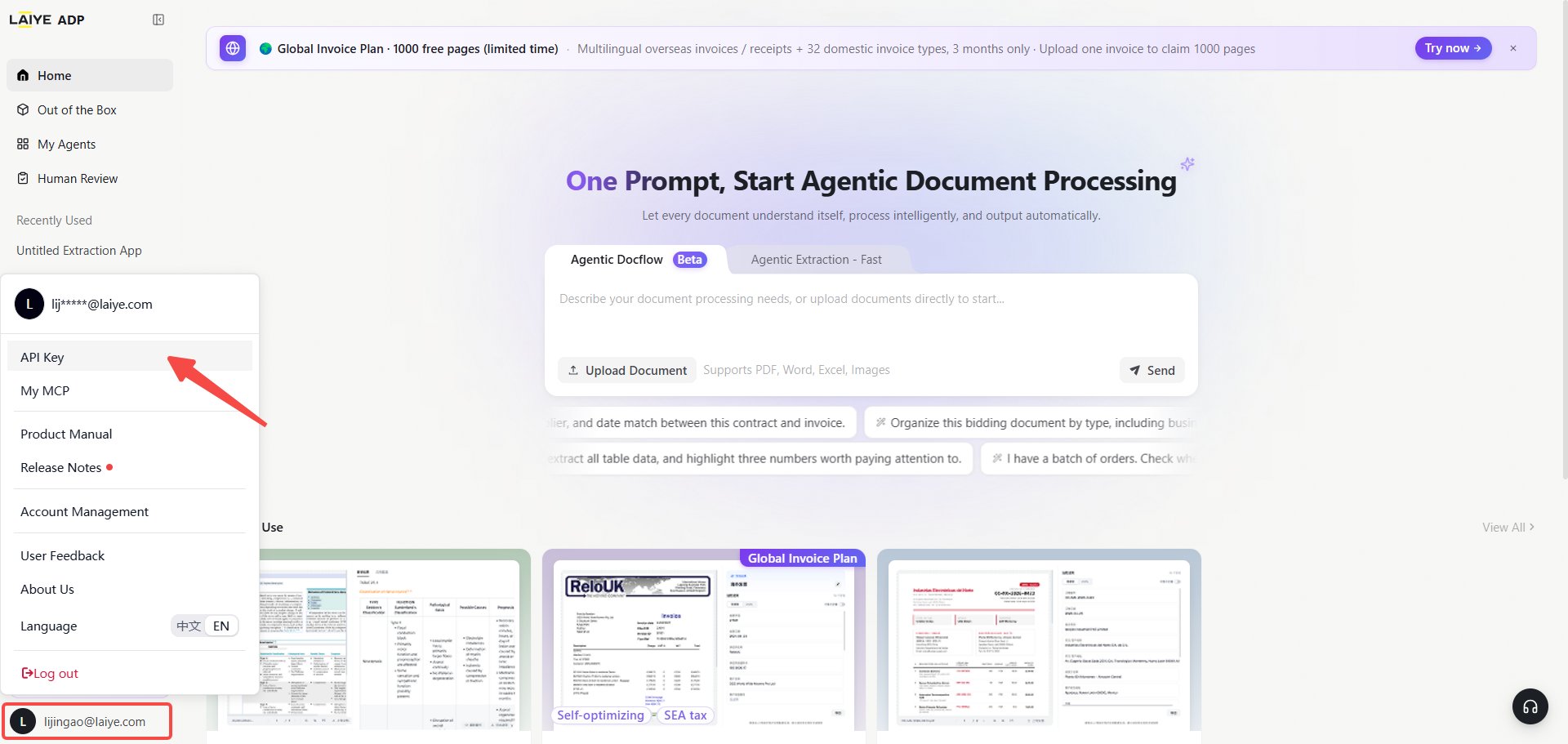
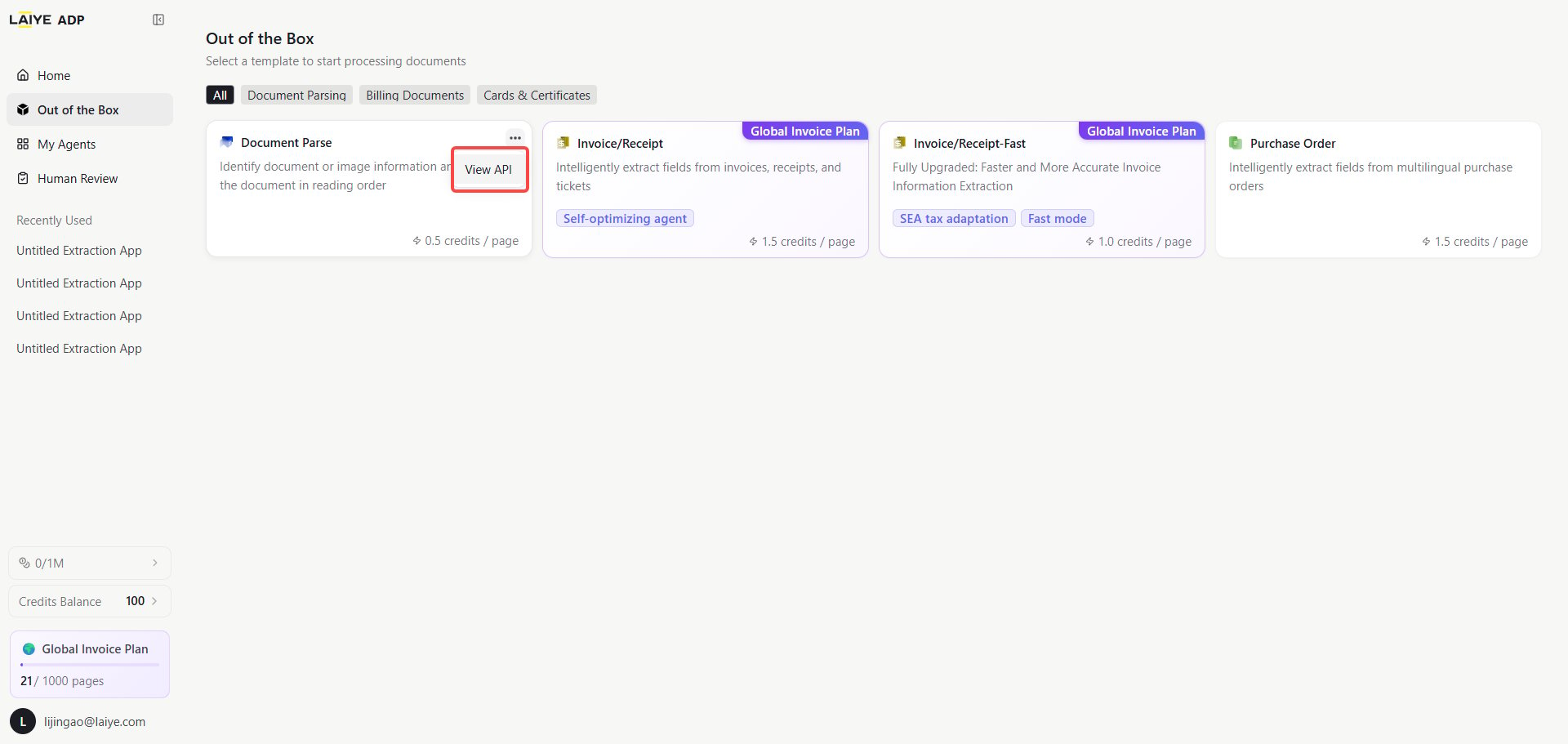
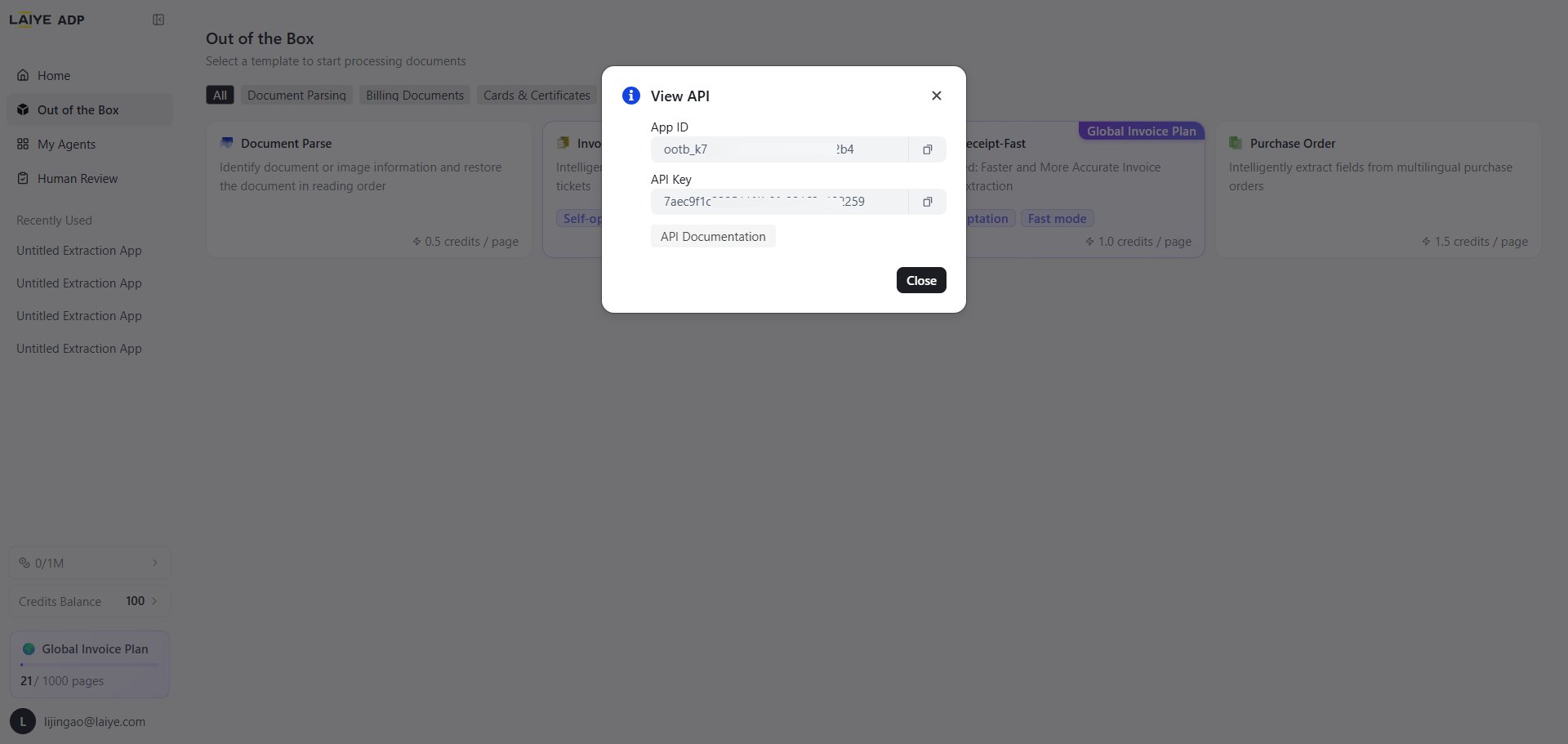
You need to log in to the ADP platform to retrieve your API Key. Click your personal avatar and go to My APIs to view your token. Alternatively, click the ”…” icon in the upper-right corner of the target application card you want to invoke.
How to get your APP ID?
Method 1: Navigate to the ADP Platform (https://adp-global.laiye.com/?utm_source=apidoc), click the ”…” icon in the upper right corner of the target application card to view your APP ID and API Key.
Method 2: Query the full list of your applications via API. API for querying application list
Authentication Method
APIs for document extraction, document parsing, application management and point query use the X-API-KEY request header.
Workflow APIs also adopt the X-API-Key request header for authentication.
Base URL
Check both the HTTP status and the business result
An HTTP 2xx status only confirms that the server received the request; it does not always mean that the business operation succeeded. Check the HTTP status first, then parse the JSON response and inspect the top-level code. If code is not the success value documented by the endpoint, handle the error using message and tips. For document extraction and parsing, also inspect data.status before consuming the result.
The Python samples on the relevant endpoint pages demonstrate this pattern. HTTP 422 request validation errors use FastAPI’s detail[] structure, which is different from a business error returned with HTTP 200.
API Reference
All APIs are available under the ADP API section in the left navigation bar. Each API page includes request parameters, response schemas and code samples. You can also search for target APIs via the top search bar.
Limited preview capabilities
Only workflow application details and run export are currently marked Limited preview and are intended for evaluation and controlled integrations. Their contracts, permission boundaries, and availability may change and must not be treated as a production SLA or critical-path dependency.
File Upload Methods
ADP provides two mutually exclusive file upload methods. Use either file_url or file_base64.
file_url: Public online file URL, only addresses starting with HTTP are supported.file_base64: Base64 encoded content of local files.
ADP provides users with a free File URL Acquisition API, which can upload local files to the ADP server..svg?fit=max&auto=format&n=rL_zV0k2Pb8Jreaf&q=85&s=8f2f2dbdc800dafb8d589e7bb23e9346)